Photo Transfer App for iOS
Move photos and videos from iPhone or iPad to any device over local WiFi. Full original quality, Live Photos and ProRAW preserved.

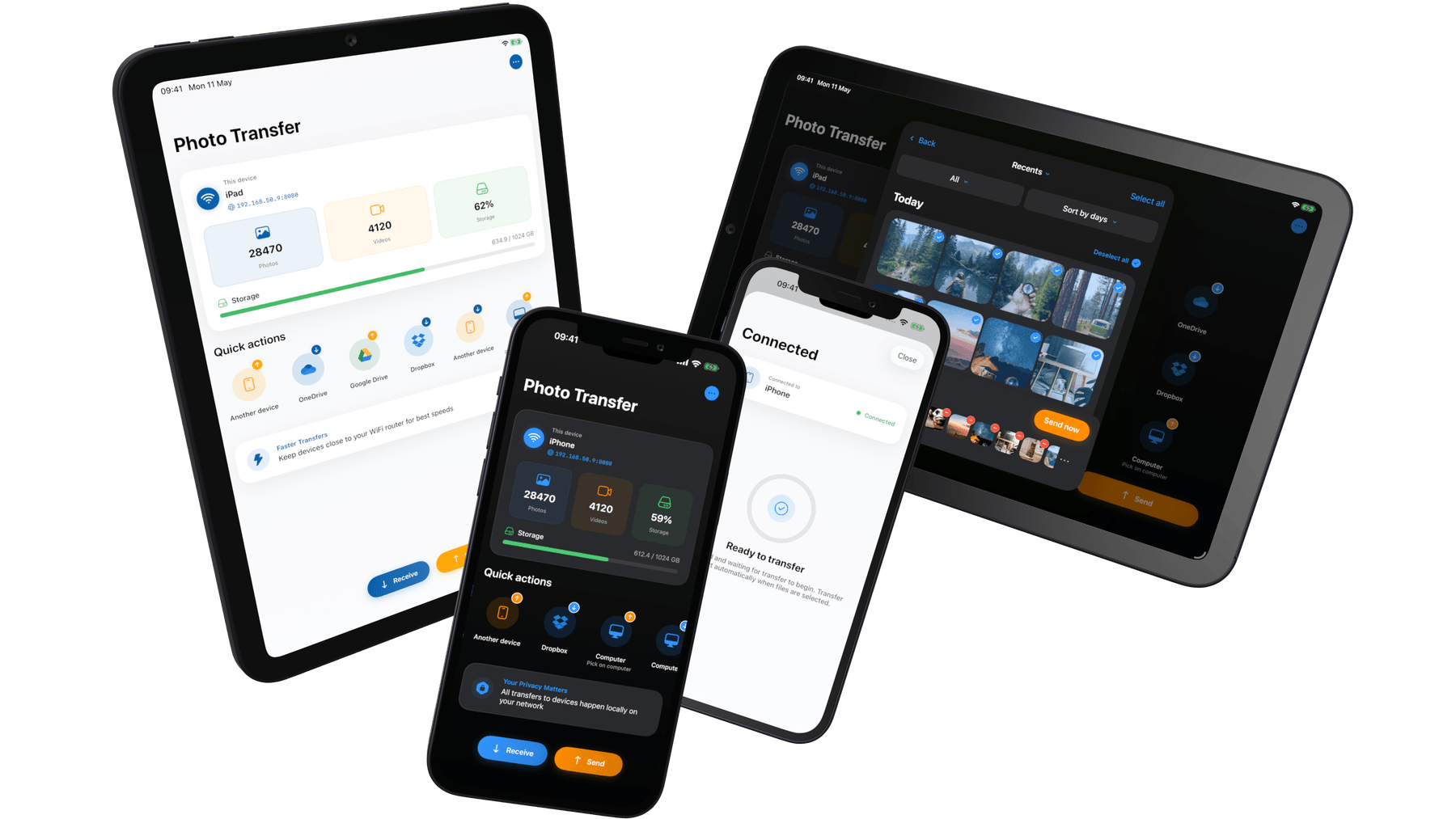
Built for iOS
Photo Transfer is a native iOS app — built for iPhone and iPad, not ported from another platform. It preserves HEIC, Live Photos, ProRAW, and DNG at full bit depth, integrates with the Photos share sheet, and respects iOS's permission and App Tracking Transparency model. One universal app on the App Store.
HEIC, Live Photos & ProRAW preserved
iOS's own formats stay intact. Live Photos transfer as Live Photos. ProRAW and DNG arrive at full bit depth. HEIC comes through as HEIC — or converted to JPG on the fly if the other device can't read it.
Original quality from iCloud Photos
Even when photos are optimized in iCloud and only a preview lives on-device, Photo Transfer pulls the full original before sending — nothing compressed, nothing downscaled.
One app, iPhone & iPad
Universal app. Download once and it runs natively on iPhone and iPad — including on the iPad's larger layout — using the same Apple ID purchase.
Works with the Photos Share menu
Tap Share inside the Photos app (or any app that lets you share images), pick Photo Transfer, and send directly — no need to open the app first.
No iTunes, no cables, no Apple ID
Nothing to plug in, nothing to sign in to. Your iPhone or iPad runs its own local server over WiFi — the other device just connects to it.
Transparent about tracking
App Tracking Transparency prompt is honest: decline it and analytics/attribution stops. Your photos never travel over the internet during a transfer, regardless of your choice.
How it works on iOS
Three steps. No cables, no cloud, no account.
- 1
Install from the App Store
Free download. Works on iOS and iPadOS 17.6 or later. No Apple ID sign-in required to use the core transfer features.
- 2
Connect on the same WiFi
Make sure your iPhone or iPad and the other device are on the same WiFi network. Photo Transfer advertises itself automatically — no pairing codes, no manual IP setup.
- 3
Pick photos and send
Browse by album, Moments, or Favorites. Select as many items as you need and transfer at full original resolution — metadata, GPS, Live Photos, and RAW data preserved.
System requirements
- iOS / iPadOS version
- iOS 17.6 or iPadOS 17.6 and later
- Devices
- Universal app — runs natively on iPhone and iPad
- Download size
- Under 100 MB
- Network
- Local WiFi network shared with the other device
- Permissions
- Photos (read), Local Network — no account, no cloud storage required
- Price
- Free on the App Store. Optional PRO unlock for unlimited transfers and cloud backup.
- Languages
- English, German, Spanish, French, Simplified Chinese, Traditional Chinese
Frequently asked
Common questions from iOS users.
Does Photo Transfer work with iCloud Photos? expand_more
Are Live Photos preserved? expand_more
What happens with HEIC photos? Will my PC be able to open them? expand_more
Do I need iTunes, a cable, or to sign in with my Apple ID? expand_more
Does it work on both iPhone and iPad? expand_more
Does it support ProRAW, DNG, and other RAW formats? expand_more
Does the free version have any limits? expand_more
Guides for iOS
Step-by-step walkthroughs for the most common transfer scenarios.
Your photos belong to you.
Move them freely.
Join over 3 million users who transfer photos and videos the fast, private way — no cables, no cloud, no hassle.