Photo Transfer App for Android
Send photos and videos from Android to any device over local WiFi. No cables, no cloud, no Google account needed.

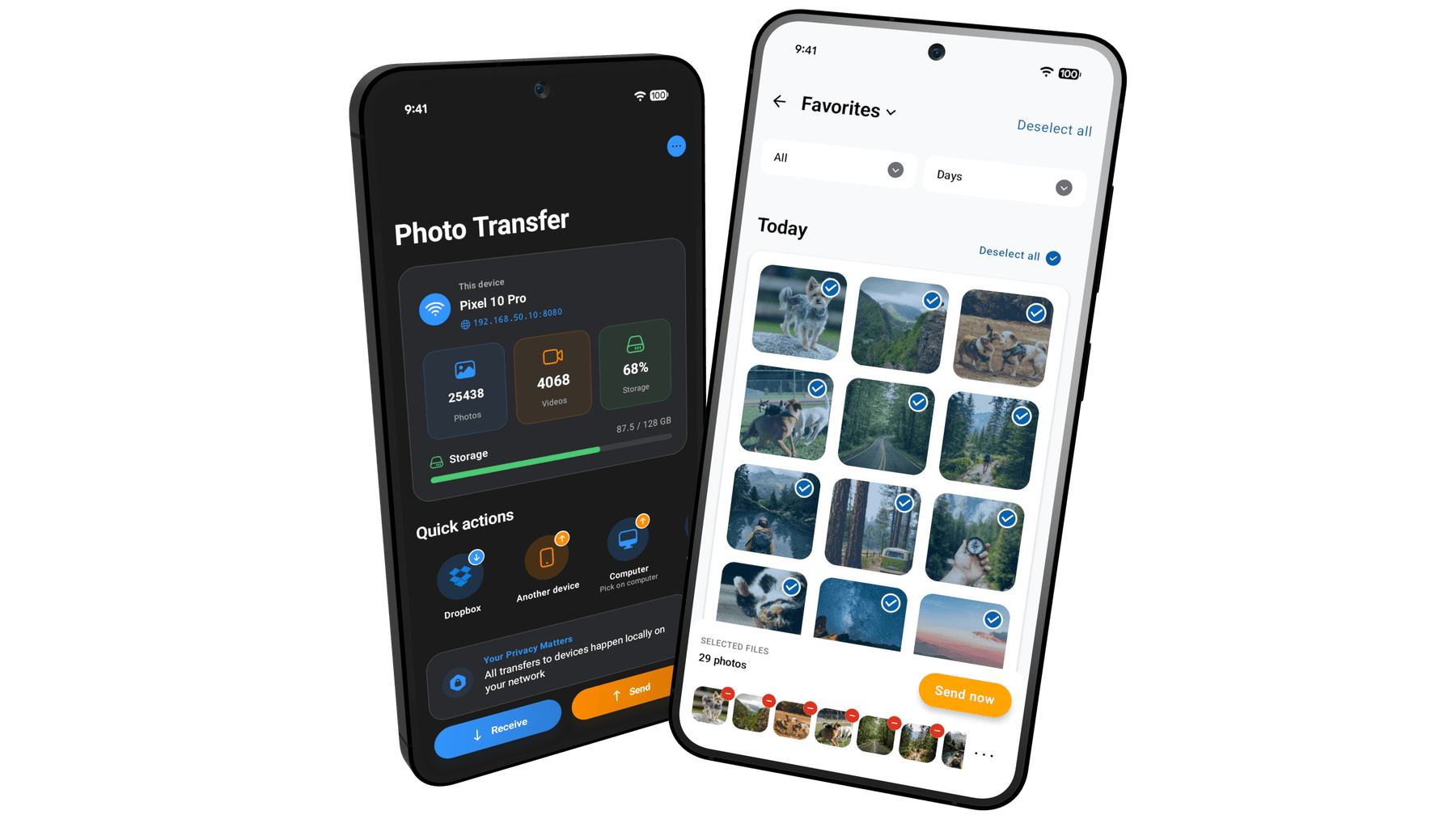
Built for Android
Photo Transfer is a native Android app — works on Pixel, Samsung, Xiaomi, OnePlus, and any phone running Android 10 or newer. It integrates with the system share menu, saves to internal storage, microSD, or USB OTG drives, and respects Android's scoped-storage permission model. Free on Google Play.
Full file-system access
Save received photos and videos anywhere — internal storage, a microSD card, or a connected USB drive. Android's open file system gives you real control over where your files land.
No Google account required
Transfers run entirely on your local WiFi. No sign-in, no cloud sync, nothing tied to a Google account. Works the same on Pixel, Samsung, Xiaomi, OnePlus — any Android device.
Works with the Share menu
Long-press photos or videos in Gallery, Google Photos, or any gallery app, tap Share, and pick Photo Transfer. Send them straight to your PC, Mac, or another phone without switching apps.
microSD & USB storage friendly
Offload large photo or video batches directly onto an SD card or USB OTG drive to free up internal space — without ever plugging into a computer.
Works without a WiFi router
No network available? Turn your phone into a hotspot and connect your PC or Mac to it. Transfers still run locally — no internet needed, no data used.
Any Android, any target
Send to Windows, macOS, iPhone, iPad, another Android, or straight to a web browser — all from the same app, using nothing but your local WiFi.
How it works on Android
Three steps. No cables, no cloud, no account.
- 1
Install from Google Play
Free download. Works on Android 10 and newer. No account, no setup — just open the app.
- 2
Connect on the same WiFi
Make sure your phone and the other device share a WiFi network (or use your phone as a hotspot). Photo Transfer finds them automatically.
- 3
Pick files and send
Browse by album or folder, select as many items as you need, and transfer at full resolution — no compression, metadata preserved.
System requirements
- Android version
- Android 10 (API 29) or newer
- Download size
- Under 40 MB
- Network
- Local WiFi network, or phone hotspot
- Permissions
- Photos & videos (read), Nearby devices — no account or cloud storage required
- Price
- Free on Google Play. Optional PRO unlock for unlimited transfers and cloud backup.
- Languages
- English, German, Spanish, French, Simplified Chinese, Traditional Chinese
Frequently asked
Common questions from Android users.
Do I need a Google account to use Photo Transfer on Android? expand_more
Will it work on Samsung, Xiaomi, OnePlus, Pixel, and other brands? expand_more
Can I save received photos to a microSD card or USB drive? expand_more
Does it work without an internet connection? expand_more
How is Photo Transfer different from sharing through Google Photos or Drive? expand_more
Does the free version have any limits? expand_more
What file types are supported? expand_more
Guides for Android
Step-by-step walkthroughs for the most common transfer scenarios.
Your photos belong to you.
Move them freely.
Join over 3 million users who transfer photos and videos the fast, private way — no cables, no cloud, no hassle.